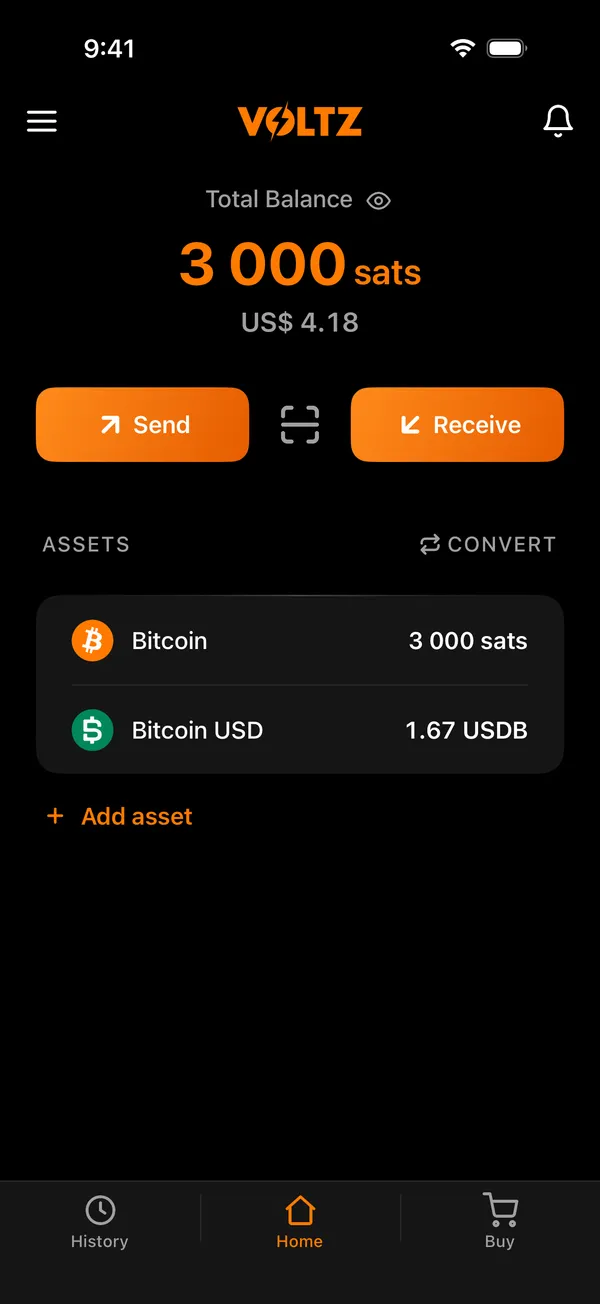
All in one place.
Bitcoin, digital dollars and your address in one balance, which moves only with your signature.
A Bitcoin wallet where only you hold the keys.
Bitcoin, digital dollars and your address in one balance, which moves only with your signature.
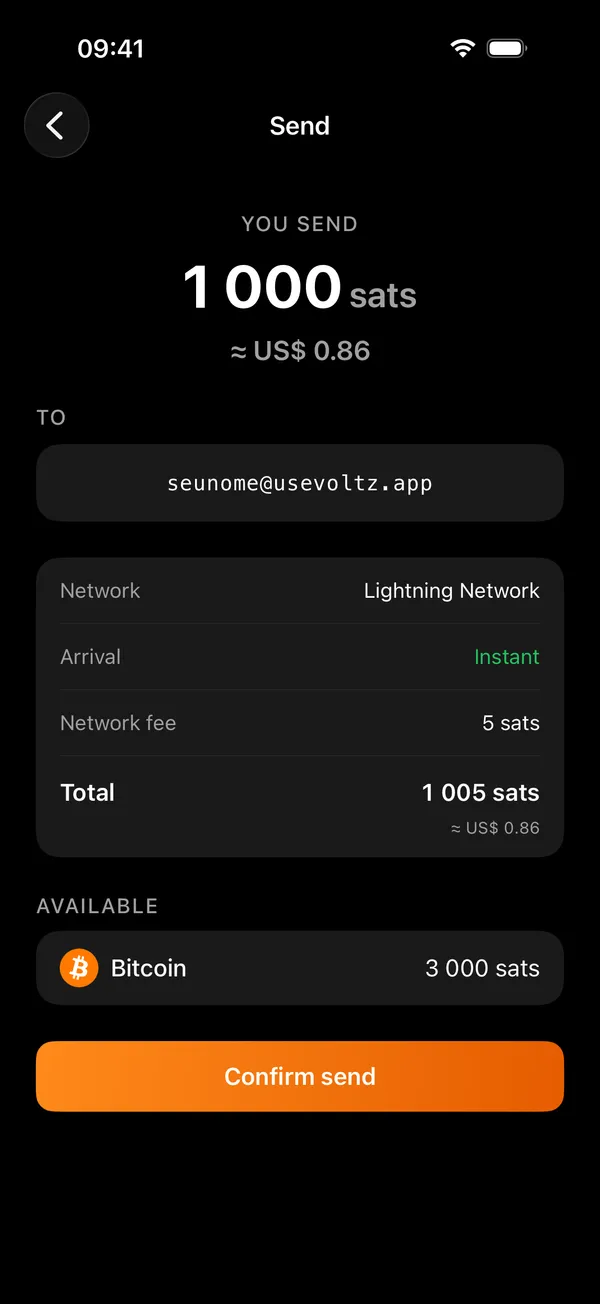
Lightning, Spark or on-chain, from a single balance.
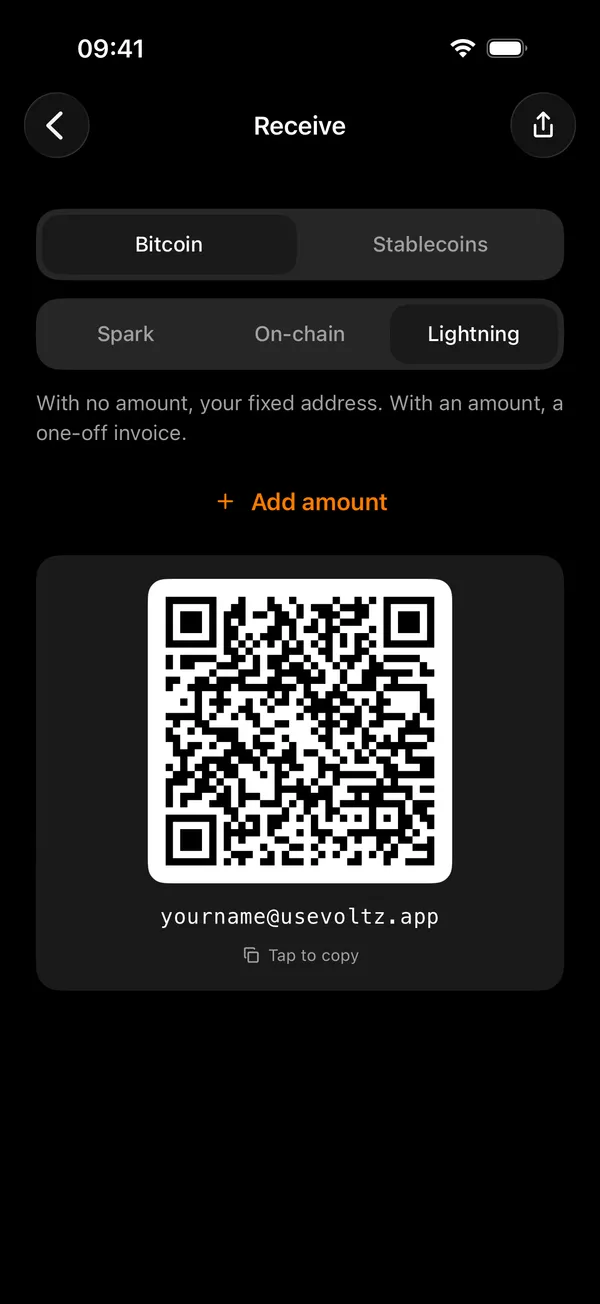
Receive at yourname@usevoltz.app instead of a long code.
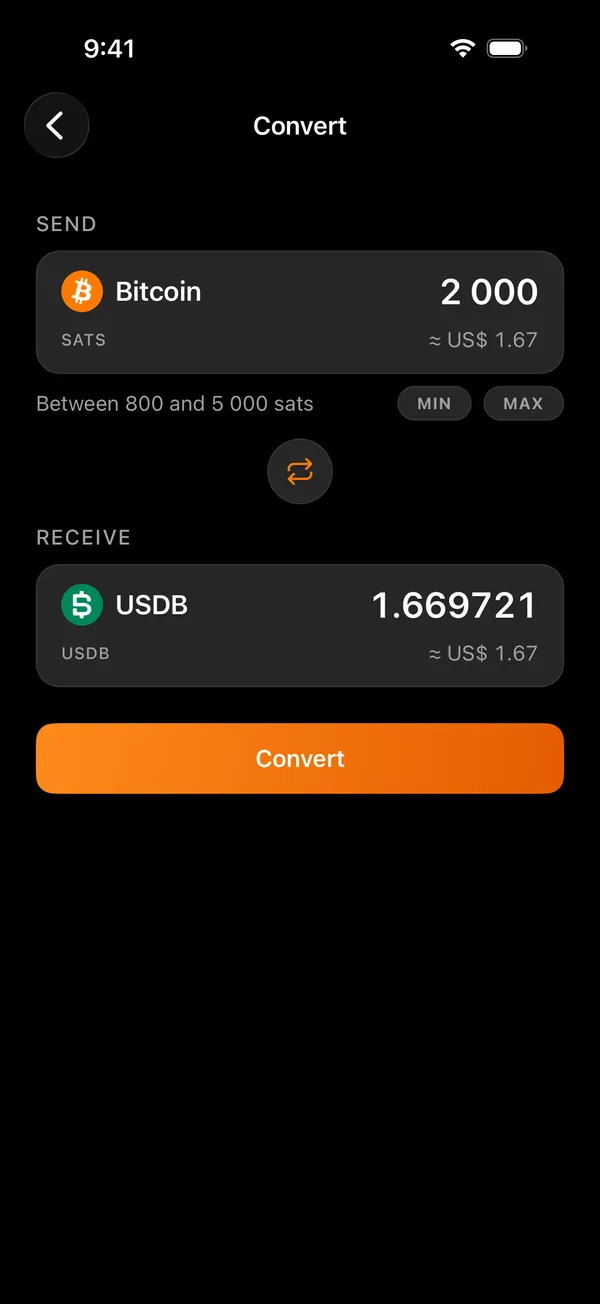
Part of your balance can sit in digital dollars, without leaving the app.
Spark, Lightning and on-chain Bitcoin meet in the same wallet. From it you can also send USDT and USDC to Tron, Ethereum, Solana and other chains, or receive them from there as bitcoin or digital dollars. Every send shows its network, fee and total before it goes.
Get paid in USDT or USDC from another network, and pay an address on one, right from your wallet.
 Tron
Tron Ethereum
 Solana
 BNB Chain
 Base
Base Polygon
 Arbitrum
 Arc
Arc Avalanche
 HyperCoreHyperEVM
 Monad
Monad OP Mainnet
 Plasma
 Tempo
TempoPick the coin and its network, type the amount and share the address. Once the provider pays it, it reaches your wallet as bitcoin, or as USDB, a digital dollar on Spark, when the dollar wallet is on.
Paste a USDT or USDC address, pick its network and see about how much arrives before it goes. It is paid in bitcoin from your balance.
USDT and USDC never sit in your wallet as a balance. Orchestra, run by Flashnet, carries them from one network to another. On a receive, Orchestra holds the coins from the moment they reach its address until it pays yours. Voltz takes part in no step and adds no fee.
yourname
Your address to receive. Easy to say, easy to remember.
you
Your Lightning address can live on a domain you already own, set up with one DNS record. The domain stays yours, and if the address on it ever pauses, your wallet keeps working.
The people you work with can have their own address on it too.
Keep more than one wallet on the same phone, each with its own recovery words and Lightning address, and switch between them whenever you want.
You can buy bitcoin from inside the wallet. It goes straight to your wallet's own address, and Voltz never touches the money.
Voltz never holds your money, and nothing moves it without your keys.
Your keys are created on your phone and never sent to Voltz or to any server. The only copy outside it is the recovery words you write down. A six-digit PIN, with Face ID or fingerprint if you want, guards the app.
Roll a real die to make your recovery words, with no randomness from the phone.
An optional passphrase adds a secret of your own to your recovery words.
The service behind your Lightning address never receives your keys, so it cannot spend, freeze or seize your balance. See what it can see.
The app follows your phone's language and currency, and you can change both.
 Português
 Português (Portugal)
 English
 English (UK)
 Español
 Español (México)
 Français
 Français (Canada)
 Deutsch
 Italiano
 Русский
 Türkçe
 Bahasa Indonesia
 Tiếng Việt
 Polski
 简体中文
简体中文 繁體中文
繁體中文 हिन्दी
 日本語
日本語 한국어
한국어 ไทย
ไทย العربية
 اردو
اردو עברית
עבריתYour wallet starts on your phone, from 12 or 24 recovery words that only you see, or from the words of a wallet you already have.
The app checks your written words, in order, before your wallet opens.
Your Lightning address is ready from the first day, and every send shows its network, fee and total before it goes.
No. Your keys are created on your phone and never sent to us, and no payment leaves without their signature.
With your recovery words you open the same wallet on another phone.
Spark, Lightning and on-chain Bitcoin, through the Breez SDK Spark inside the app. With an amount, one Bitcoin QR code can be paid over Lightning or on-chain. USDT and USDC go out to and come in from Tron, Ethereum, Solana and other chains through Orchestra, run by Flashnet, landing in your wallet as bitcoin or digital dollars.
It never receives your keys, and it cannot spend, freeze or seize your balance. It does see which wallet holds which address, the payments made through that address, the comment a payer attaches and the device registered for notifications. If it were compromised, it could hand a payer someone else's invoice, stop serving an address, or send or hold back its notifications.
Yes, as USDB, a digital dollar on the Spark network, next to your bitcoin. It is issued by a third party, aims to be worth one US dollar, is not guaranteed by Voltz and can lose its peg. Converting between the two happens in a Flashnet pool, is signed on your phone, and Voltz is not a party to it.
No. Voltz's revenue comes from its software, never from a spread on a payment or a conversion. The fees the app shows belong to the network or to the provider doing the work.
It is not in the stores yet. Voltz is coming to the App Store and Google Play, for iOS and Android.
More answers are on the support page.
Voltz is on its way to the App Store and Google Play, for iOS and Android.
Until then, you can reach us at support@usevoltz.app.